15 Interesting Facts About Smartphones You Probably Didn’t Know

The smartphones are ubiquitous gadgets in our lives these days. We use them for making phone calls and sending messages. Besides, they serve various functions – from playing videos and games to doing banking operations, learning and working online. However, smartphones have other interesting properties that are not common knowledge.

Below is the list of some unexpected facts about smartphones that will help you learn something new about your gadget.

More Smartphones than Computers

Today, there are more smartphones than computers in terms of numbers. The smartphones became the main device people use for surfing the web, which means they are the most widely spread computing devices in the world.

Your Smartphone is Stronger than Old Supercomputer

The processors of the current smartphones are able to calculate billions of operations each second. Actually, smartphones today are much more powerful than those computers that were used during space missions.

Charging Habits Influence Your Battery Health

It is a common belief that charging smartphone overnights destroys the battery. However, the modern smartphone stops charging when its battery is full. Nevertheless, keeping your phone under high temperatures will damage its battery life.

How to Make Your Batteries Last Longer

  • Do not expose your device to extreme temperatures.
  • Stick to the official or certified charger.
  • Ensure that battery percentage is always between 20 and 80 percent.
  • Update your phone often.

IP Ratings Do Not Equal Water Resistance

Almost all expensive phones have the IP67 or IP68 rating. This means your phone is resistant to dust and water. However, exposure to saltwater, soap, or high-pressure water may destroy your device.

Phone Storage Gets Filled Faster Than You Realize

All photos, videos, downloaded content, applications, and software update use up storage. Even when you do not download any app, you may be running out of storage due to cache.

Deleting files regularly or using external storage will help keep your phone performing well.

AI Enhances Cameras in Smartphones

The camera does not depend on its hardware anymore. The use of artificial intelligence helps enhance pictures by automatically adjusting colors, brightness, focal length, portraits, and even eliminating unwanted objects from some devices.

Restarting Your Phone Helps

Few people actually restart their phones often enough. This is because doing so does the following:

  • Eliminates temporary files.
  • Boosts overall performance.
  • Corrects minor software malfunctions.
  • Improves system memory.

Restarts are useful once every few days.

Phone Cases Protect Much More than the Device’s Body

Quality phone cases absorb impacts of unintentional falls, thus protecting the device from the inside out. Adding a tempered glass screen protector to them ensures maximum protection from common mishaps.

Fast-Charging Is Completely Safe

Most modern technologies used for fast charging are safe due to built-in protections. The charger and phone constantly monitor charging speed and temperature.

However, using poor-quality chargers increases the chances of damaging a battery.

Updates Bring Multiple Benefits

Some people tend to put off installing software updates on their devices, but they contain a lot more than just security improvements, such as:

  • Battery optimization.
  • Cameras upgrades.
  • Bug fixes.
  • Improved performance.

Refurbished Phones Are Often Worth It

Professional refurbishing involves testing, repair if required, cleaning, and inspection before the phone is resold. Purchasing from a reputable vendor with warranties ensures that you get a good value without sacrificing reliability.

Screen Brightness Uses More Battery Than Most Applications

The screen is among the biggest battery consumers. You should lower the screen brightness or turn on adaptive brightness to conserve more battery.

Take Care of Your Phone

Dust, oils, and germs accumulate on your smartphones with time. Cleaning it frequently with proper cleaning agents keeps it free from dirt and germs around its speakers and charging port.

Use Quality Replacement Parts

Using poor quality replacement parts when swapping out broken displays or batteries can result in poor phone performance and reliability. High quality genuine or compatible parts keep your phone performing well and looking beautiful.

Routine Phone Care Helps Prolong Its Lifespan

Simple practices such as updating, cleaning charging ports, replacing old batteries where necessary, and using protective cases ensure that your smartphone lives for years.

Reasons to Choose Sabko Phone

If you are looking for a refurbished mobile phone, planning to sell your old mobile phone or even repair a damaged smartphone, then at Sabko Phone, you will get all kinds of solutions in one place.

Sabko Phone provides you with the following services:

  • Reconditioned smartphones that have been professionally tested.
  • Phone repair services for almost any brand and model.
  • High-quality replacement parts.
  • Warranty on some of the products and repairs.
  • VAT invoice for some products and services.
  • Customer support service.

Conclusion

Mobile phones have developed much more than what people think of them. Getting knowledge about how your smartphone works and maintaining them properly can help increase its performance and increase its life.

If you are looking for a good refurbished phone, quality repair services or replacement parts, visit Sabko Phone.

How to Export Calendar Events from a Samsung Galaxy Old Models

If your calendar events are stored in “My Calendar” (local device storage) rather than your Google account, migrating these calendar events can prove difficult. The old Samsung Calendar applications, such as those used in phones like the Samsung Galaxy M01, lack the capability to export calendar events in ICS (.ics) format.

Luckily, there is a simple way to export your calendar through a third-party app and then import it on your new phone or other calendars.

Method 1: Export Your Calendar Using CalendarSync (Recommended)

One of the most convenient methods of exporting calendar events that are stored locally is to use CalendarSync – Trial.

Download the App

  • Launch the Google Play Store on your phone.
  • Search for CalendarSync – Trial by Calendar/Task/Contact Sync Mobile.
  • Download the app.

Allow Permissions

  • Launch the app.
  • Grant the following permissions:
  • Calendar permissions
  • Storage permissions

Export Your Calendar

  • Choose the calendar that needs to be exported (for instance, My Calendar or any other Samsung local calendar).
  • Make sure that there are no duplicates among the calendars.
  • Choose the Export button.
  • Export the calendar as an ICS (.ics) file.
  • The exported file will usually be stored in the Downloads directory or in your phone’s memory.

Transfer the ICS File

After exporting the file, you can copy it to another device by:

  • Plugging the phone into the computer using a USB cable.
  • Emailing the file to yourself.
  • Storing the file on Google Drive, Dropbox, or another cloud storage platform.

Importing the Calendar to Another Device

Google Calendar Import

  • Go to Google Calendar on your PC.
  • Choose Settings → Import & Export.
  • Select Import.
  • Choose the .ics file that was exported.

Transfer to Another Android Phone

  • Transfer the .ics file to your new phone.
  • Import it through Google Calendar or Samsung Calendar.

Import to Other Calendar Applications

The ICS file is compatible across different calendar applications and can be used in:

  • Microsoft Outlook
  • Apple Calendar
  • Mozilla Thunderbird
  • Other calendar applications supporting the iCalendars files.

Alternatives

In case CalendarSync doesn’t fulfill your requirements, then the following applications can come in handy:

  • Calendar Backup – Easy-to-use ICS exporting application.
  • Calendar Import Export – Open source calendar application that can be downloaded from Play Store and F-Droid.
  • MobiKin or Wondershare Dr.Fone – Advanced PC applications for backup and transfer tasks.

Option 2: Synchronize Your Calendar With Google

However, if you prefer to synchronize your events rather than export them manually:

  • Settings -> Accounts and Backup -> Manage accounts.
  • Add Google Account (in case if it’s not yet added).
  • Open the Samsung calendar application.
  • Press the menu (☰) and choose Manage Calendars.
  • Activate the Google Calendar.
  • In case if possible, use the Move Events feature to move your events from the local calendar to the Google Calendar.

As a result, your events will be automatically synchronized on all devices using the same Google account.

Remark: This procedure will help you to synchronize your calendar instead of making a backup.

Option 3: Samsung Smart Switch Application

Another option is Samsung Smart Switch in case you are changing one Samsung phone for the other one.

  • Install Samsung Smart Switch on your PC.
  • Connect Samsung Galaxy M01 through USB.
  • Make a backup including calendar information.
  • Restore the backup on your new Samsung device.

It works well only for transferring from Samsung to Samsung, and doesn’t make an ICS file.

Steps to Take Before Exporting

  • Ensure that you have enough battery in your phone.
  • Check whether your events are stored in My Calendar if they are not showing in your Google account.
  • Save your exported ICS file in cloud storage or your computer.
  • Most old devices such as Samsung Galaxy M01 (or those with Android 10) can work with the above export apps, but you should always try to update your Calendar application and the system whenever possible.

Conclusion

Because most older Samsung devices lack a native export feature, it is convenient to use an external app such as CalendarSync to export your calendar events. Your exported ICS file will work with Google Calendar, Samsung Calendar, Outlook, Apple Calendar, and almost all other calendar programs.

Visit Us

Sabko Phone Sanepa, Lalitpur

Sabko Phone Dhumbarahi, Kathmandu

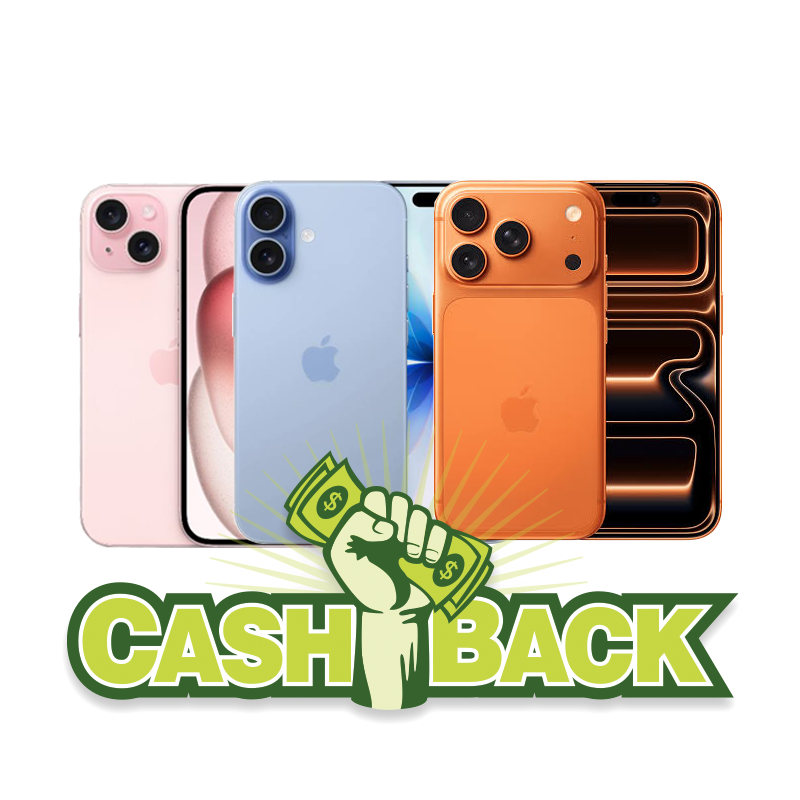
Offer for Those Who Want to Buy an iPhone – Get Cashback

Thinking of buying a brand new iPhone in Nepal? There could not have been a better time than this! Take advantage of our special cashback offer on some selected iPhone models for a limited time. Even though Sabko Phone does not sell brand new iPhones directly, we facilitate the purchasing of authentic brand new products through our reputable partners to make your buying experience easier and hassle-free.

No matter whether you opt for paying in one lump sum payment or going with an EMI payment option, our dedicated customer service at Sabko Phone will guide you throughout.

Special Cashback Offer

Offer Valid from: 1st July 2026 – 18th July 2026

Here are your cashbacks during this promotional period:

iPhone Model                                                Cashback

iPhone 15                                                        NPR 8,000

iPhone 17                                                        NPR 10,000

iPhone 17 Pro Max                                       NPR 15,000

This is the perfect time to buy a new iPhone and be helped by our reliable mobile partners.

Sabko Phone Assists Customers in Purchasing Brand New iPhones

Even though Sabko Phone deals primarily with quality second-hand smartphones, we know that there are some clients who require the latest model of iPhone. For this reason, our firm assists the customers in purchasing a genuine brand-new iPhone through our reliable connections.

When you come to Sabko Phone, we will assist you in the entire process of buying the right phone for yourself with ease and reliability.

Payment Plan Options

Not everyone has the same budget and requirements. For this reason, Sabko Phone assists the clients in buying their brand new iPhone by way of:

  • Cash Payments
  • Easy EMI Payments

Our team will help you in selecting the right method of payment for yourself.

Reasons for Choosing Sabko Phone

Sabko Phone means far more to you than simply helping you with your purchase:

  • Reputable mobile phone shop with great customer service
  • Assistance at all stages of purchase
  • Help in making both cash and EMI purchase
  • Hassle-free and straightforward services
  • Assistance despite the fact that we do not deal with new iPhones

We aim to ensure you have an easy and convenient experience when purchasing an iPhone.

Visit Sabko Phone Now

Do not miss out on this one-time cashback offer available only between 1st July 2026 and 18th July 2026. If you have been thinking about getting a brand-new iPhone, then this is the right time for you to do so.

Visit Sabko Phone and allow us to assist you in purchasing your iPhone through a suitable payment method.

Sabko Phone Sanepa, Lalitpur

Sabko Phone Dhumbarahi, Kathmandu

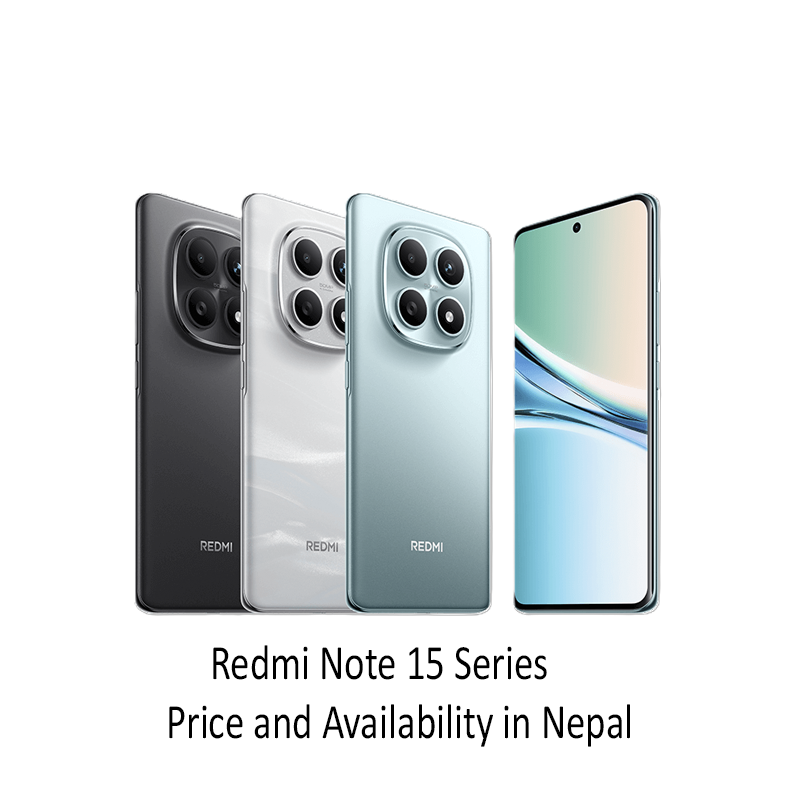
Redmi Note 15 Series Price and Availability in Nepal

In need of Redmi Note 15 Series (latest) in Nepal? The most recent series from Xiaomi comes with a very good balance between performance, design, camera and other features for its price point.

Here is the latest price and availability of new sealed pack Redmi Note 15 Series in Nepal on July 2, 2026.

Redmi Note 15 Series Value in Nepal (July 2, 2026)

Model Variant Price (NPR)

  • Redmi Note 15 5G (8GB + 256GB) Rs. 43,999
  • Redmi Note 15 5G (12GB + 512GB) Rs. 49,999
  • Redmi Note 15 Pro 5G (8GB + 256GB) Rs. 53,999
  • Redmi Note 15 Pro 5G (12GB + 512GB) Rs. 59,999
  • Redmi Note 15 Pro+ 5G (8GB + 256GB) Rs. 63,999
  • Redmi Note 15 Pro+ 5G (12GB + 512GB) Rs. 69,999

Note: The above price will be updated accordingly as of July 2, 2026 and is subject to change due to any reason by official or market.

Brand-New Sealed Pack with Warranty

Each and every Redmi Note 15 Series smart phones listed above comes in a sealed package with:

  • Official manufacturer warranty
  • Official invoice
  • Genuine Xiaomi mobile phone
  • All accessories inside the box

How Can Sabko Phone Help You?

Even though Sabko Phone does not deal with selling Redmi Note 15 Series directly, we are willing to help you buy these gadgets at the authorized Xiaomi Store. We will advise on how to buy a genuine smartphone with the warranty and receipt from the store.

Should you need advice on which smartphone to buy within your budget and preferences, we will be glad to provide this information for you.

Why Should You Visit Sabko Phone for Buying a New Smartphone?

Besides offering assistance with the purchase of Redmi Note 15 Series, Sabko Phone provides customers with a choice of smartphones from leading manufacturers. If you want to buy:

  • Used smartphones of premium quality
  • Brand new mobile phones
  • iPhones
  • Samsung Galaxy gadgets
  • Xiaomi, Redmi, POCO, OnePlus, Google Pixel and others

Sabko Phone is ready to meet your demands.

Final Words

The Redmi Note 15 series is yet another example of how Xiaomi delivers high-value and highly functional smartphones at affordable rates. Be it the Redmi Note 15 5G, the Redmi Note 15 Pro 5G, or the top-end Redmi Note 15 Pro+ 5G, you will get your money’s worth.

In case you want to make a purchase, visit Sabko Phone. Though we do not have any of the Redmi Note 15 series phones in stock, we can definitely help you get yourself a sealed package of the phone from the Xiaomi Store.